
A Harley ABS brake bleeding scan tool is a diagnostic device that opens the ABS solenoid valves in a predetermined sequence to expel trapped air and old fluid from inside the ABS hydraulic modulator. Manual bleeding alone cannot reach these internal passages.
Why Does Harley ABS Brake Bleeding Require a Scan Tool?
NHTSA explains related safety context in NHTSA vehicle safety information.
A scan tool is required for Harley ABS brake bleeding because the ABS modulator contains hydraulic passages and solenoid valves that manual brake pumping cannot open or cycle. Only a scan tool communicates directly with the ABS control module to command valve actuation.
Per Harley-Davidson company specifications, the scan tool controls the opening of bleeder valves in both the front and rear brake circuits in a predetermined sequence. Valve opening time varies between 20 and 60 seconds, depending on the Harley model.
Mercedes ABS Module Repair: 6 Symptoms, 4 Causes, and 3 Fix Options Explained
Ford F-150 ABS Module Repair: 5 Steps, Common Faults, and Repair Costs
The diagnostic procedure is selective. Technicians target the front brake, the rear brake, or both circuits, depending on which lines were serviced.
What Happens If You Skip the Scan Tool Step?
Without a scan tool, old or contaminated brake fluid remains trapped inside the ABS modulator. This residual fluid accelerates internal corrosion and causes long-term ABS module damage. The brakes may feel firm at the lever, but the modulator retains degraded fluid from the previous service interval.
When Do You Need to Bleed Harley Davidson ABS Brakes?
Bleed Harley ABS brakes in 4 situations:
- During routine brake fluid replacement, every 2 years per Harley-Davidson specifications
- After handlebar replacement or any customization requiring brake line disconnection
- After replacing brake lines, calipers, or brake switches
- After ABS modulator service or component replacement
Note: The scan tool ABS bleed procedure covers 2008 to 2023 Harley-Davidson ABS systems. It is not used for calibrating a new ABS installation or for clearing an ABS warning light. A new ABS system installation requires a dealer-performed replacement procedure.
Which Scan Tools Are Compatible with Harley Davidson ABS Brake Bleeding?
4 aftermarket scan tools support Harley Davidson ABS brake bleeding: the Daytona Twin Scan II ABS, the Daytona Twin Scan 4 ABS, the TechnoResearch Centurion, and the Snap-on ETHOS Edge.
Tool compatibility depends on the motorcycle's data bus protocol. Harley-Davidson uses 2 data bus types:
- J1850 data bus: 2001 to 2014 fuel-injected models, including V-Rod
- CAN data bus: 2011 and later models with a 6-pin diagnostic connector
The table below lists compatible scan tools, their supported year ranges, data bus type, and ABS bleed capability.
| Scan Tool | Compatible Years | Data Bus | ABS Bleed |
|---|---|---|---|
| Daytona Twin Scan II ABS | 2001-2014 | J1850 | Yes (firmware v3.0+) |
| Daytona Twin Scan 4 ABS | 2011-2020 | CAN | Yes |
| TechnoResearch Centurion | 2008-2023 | CAN | Yes |
| Snap-on ETHOS Edge | Selected models | CAN | Yes |
| Harley Digital Technician | All supported years | J1850 / CAN | Yes (dealer tool) |
2 important compatibility notes:
- The Twin Scan II ABS requires firmware version 3.0 or higher to access the ABS bleed function. It is not compatible with 2011 and later CAN data bus models.
- Neither the Screamin' Eagle Race Tuner (SERT) nor the Screamin' Eagle Pro Super Tuner (SEPST) supports ABS brake bleeding functions.
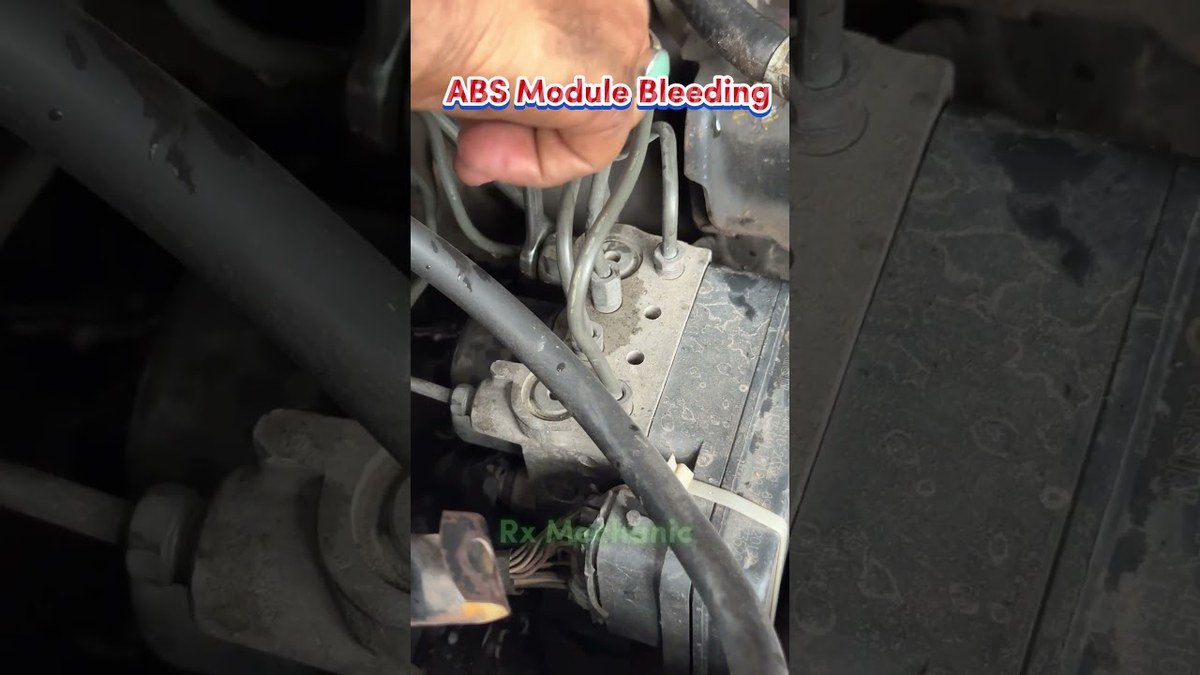
How Do You Bleed Harley ABS Brakes Manually First?
Complete a full manual bleed of the brake lines and calipers before connecting a scan tool. The scan tool ABS bleed cycles the modulator only. It does not replace the initial manual bleed of the external lines.
Manual bleed procedure:
- Position the motorcycle on a stable, level surface.
- Remove the brake fluid reservoir cap.
- Fill the reservoir with fresh DOT 4 brake fluid from a sealed container.
- Attach a 7 mm or 10 mm flare-nut wrench to the caliper bleeder valve.
- Connect a clear tube to the bleeder valve and place the other end in a catch container.
- Open the bleeder valve one-quarter turn counterclockwise. Do not remove it fully.
- Squeeze the brake lever and watch for air bubbles flowing through the tube.
- Close the bleeder valve. Refill the reservoir before the level drops low.
- Repeat until clean, bubble-free fluid flows consistently.
- Tighten the bleeder valve and replace the reservoir cap.
Note: Do not back-bleed (push fluid from the caliper toward the modulator). Back-bleeding forces debris and air directly into the ABS valve and damages internal components.
How Do You Use a Scan Tool to Bleed Harley ABS Brakes?
After completing the manual bleed, connect the scan tool to the Harley diagnostic port and use the ABS Bleeding function to cycle the modulator valves for 20 to 60 seconds per brake circuit.
Scan tool ABS bleed procedure for 2008 to 2023 Harley-Davidson ABS systems:
- Confirm the ignition is ON and the RUN/STOP switch is set to RUN.
- Connect the scan tool Vehicle Communication Module (VCM) to the motorcycle's diagnostic port.
- Confirm battery voltage is at or above 12 volts. Connect a battery maintainer if needed.
- Open the scan tool software and navigate to Active Settings.
- Select ABS Bleeding and accept the on-screen disclaimer.
- Click Connect to establish communication with the motorcycle.
- Select the brake circuit to bleed first (front or rear).
- Squeeze and hold the brake lever as instructed on screen.
- The ABS pump activates. A buzzing sound and slight lever resistance confirm the solenoid valves are cycling.
- Release the lever when the screen instructs.
- Confirm the result when prompted before proceeding to the next circuit.
Check brake lever resistance at the end of each cycle. A firm, linear resistance with no spongy travel confirms air has been purged from that circuit.
What Brake Fluid Does Harley Davidson Specify for ABS Models?
Harley-Davidson specifies DOT 4 brake fluid for all ABS-equipped models. DOT 4 is glycol-based and compatible with ABS modulator seals, solenoid valves, and internal hydraulic components.
DOT 5 (silicone-based) is not compatible with Harley ABS systems. Mixing DOT 5 with DOT 4 damages seals and degrades internal valve performance. Models using DOT 4 include Touring, Softail, Sportster, and Dyna models equipped with ABS from 2008 onward.
Replace DOT 4 fluid every 2 years. DOT 4 is hygroscopic, meaning it absorbs atmospheric moisture over time. Moisture lowers the fluid's boiling point and accelerates internal corrosion inside the ABS modulator passages.
What Are the 3 Mistakes to Avoid When Bleeding Harley ABS Brakes?
The 3 most common mistakes are:
- Skipping the scan tool step after servicing any brake component. Manual bleeding leaves old fluid trapped inside the ABS modulator. Only a scan tool cycles the solenoid valves to purge internal passages fully.
- Back-bleeding the system. Pushing fluid from the caliper toward the modulator introduces air and debris directly into the ABS valve. Always bleed from the master cylinder toward the caliper.
- Using DOT 5 fluid in an ABS-equipped Harley. DOT 5 is silicone-based, incompatible with glycol-based ABS systems, and cannot be mixed with DOT 4 under any circumstances.
After completing both the manual bleed and the scan tool modulator cycle, verify brake lever feel is firm, progressive, and free of spongy travel before returning the motorcycle to service.

Jimmy O’Riley is a UK-based mobile mechanic and automotive diagnostic specialist operating out of Bedfordshire, England. He founded O’Rileys Autos in 2011 with a focus on bringing professional vehicle repairs directly to customers at their homes and workplaces.
With over a decade of hands-on experience, Jimmy specializes in ABS diagnostics, brake system repairs, diesel emissions faults, and DPF cleaning. He is recognized across the UK and Ireland as one of the leading specialists in vehicle braking and emissions systems, earning the title “The DPF King” from his growing online audience.
Jimmy documents real-world automotive repairs through his YouTube channel, which has accumulated over 97,000 subscribers and nearly 2,000 published repair videos. His content covers ABS fault diagnosis, wheel speed sensor testing, brake module replacement, and roadside repair procedures across a wide range of vehicle makes and models.
He is active on YouTube, Instagram, and Facebook under O’Rileys Autos.